Thursday, March 31, 2011

Lynda.Com: Dreamweaver CS5 New Features


Lynda.Com: Dreamweaver CS5 New Features
Released on: 4/12/2010 | Duration: 01hr:33min | Size: 722.43 MB


Join senior staff author James Williamson for an introduction to the latest features and enhancements to Adobe's web design and development software. Dreamweaver CS5 New Features covers the improved CSS workflows of CSS Enable and CSS Inspect, integrated services with CS Live, and the program's support of popular content management system (CMS) frameworks such as Drupal, Joomla!, and WordPress. Exercise files are included with the course.
Topics include:

* Comparing Dreamweaver CS4 and CS5
* Setting up a new web site using the enhanced Site Setup dialog
* Browser Lab integration
* Working with CMS frameworks
* Using the Adobe Widget Browser
* PHP and site-specific code hinting
* Navigating in Live View

http://www.lynda.com/home/DisplayCourse.aspx?lpk2=59959

Course name:
Dreamweaver CS5 New Features

Author:
James Williamson
Duration (hr:min):
01:33
Released on:
4/12/2010

Lynda.com- Dreamweaver CS5 and WordPress 3.0


Lynda com Dreamweaver CS5 and WordPress 3.0 | 882.44 MB
Author: Joseph Lowery

In Dreamweaver CS5 and WordPress 3.0, author Joseph Lowery shows how to create web sites using WordPress and Dreamweaver together.
This course demonstrates workflow best practices and techniques, including installation and set up, how to create content, work with WordPress themes, customize CSS, and add widgets. It also covers how to extend WordPress pages, add Spry elements, add and customize plug-ins, integrate WordPress-stored data in Dreamweaver dynamic pages, and how to administer and publish a WordPress site.
Exercise files are included with the course.

Topics include:
Installing MAMP on Macintosh and WAMP on Windows
Using the Dynamically-Related Files feature in Dreamweaver to track WordPress pages
Applying WordPress themes
Customizing themes
Adding Spry widgets
Integrating a web gallery into an existing site
Adding WordPress dynamic data
Populating the WordPress database
Publishing a WordPress site

Tuesday, March 29, 2011

Lynda.com: Adobe After Effects Basic Animation 2011


Lynda.com: Adobe After Effects Basic Animation 2011
eLearning | 482 MB


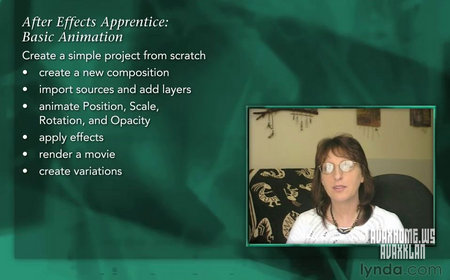
After Effects Apprentice Basic Animation - Trish Meyer leads beginners through a gentle introduction to Adobe After Effects: from creating a new project and importing sources, through arranging and animating layers, applying effects, and creating variations, to rendering the final movie.

However, this is no paint-by-numbers exercise.

Release Name: Lynda.com Adobe After Effects Basic Animation-QUASAR
Type: Training
Release Date: 01-27-2011
Homepage: _www.lynda.com/home/DisplayCourse.aspx?lpk2=78544
Language: English
Running Time: 2:05 (hr:min)
File Format: .iso
File Size: 482 Mb

Saturday, March 26, 2011

Kelby Training---Dreamweaver CS5 Crash Course (Full)


Kelby Training Dreamweaver CS5 Crash Course (Full)
English | BIN | 815.2Mb
Genre: Training

Take your Web design skills to the next level with Dreamweaver's template features, which make it easy to create new pages quickly and make global updates to many pages at once. You will learn how to insert Flash video, embed code for video from YouTube, Vimeo, and other sites, and even create javascript rollover effects.


Part One Contents :

01. Overview (15:04)
02. Setting Up a Site (10:25)
03. The Dreamweaver Interface (11:47)
04. Layout Options: CSS, Tables, and Frames (06:43)
05. Creating New Documents (12:04)
06. Page Properties (12:22)
07. Inserting Images (10:47)
08. CSS Layouts (08:50)
09. Text Styling and Formatting (15:52)
10. Creating Links (11:11)
11. Styling Links (10:14)
12. Previewing in Browser (09:40)
13. Publishing the Site (11:58)

Part Two Contents :

01. Overview (01:58)
02. Setting Up the Site (03:52)
03. Creating a Navigation Menu (09:17)
04. Working with Templates (10:27)
05. Creating Templates with Editable Regions (12:47)
06. Creating Pages from a Template (06:33)
07. Making Global Updates by Editing a Template (09:21)
08. Using CSS to Change Template Designs (08:36)
09. Detaching and Attaching Templates (05:17)
10. Saving Any Page as a Dreamweaver Template (11:13)
11. Embedding Code from YouTube (12:02)
12. Inserting Flash Videos (04:26)
13. Creating a Simple Rollover Image (05:58)
14. Creating Complex Rollover Effects (11:48)

Kelby Training-- Building a Website with Photoshop and Dreamweaver CS4


Best way to build website....Download and ready for make your first website